- WORDPRESS MAINTENANCE AND SUPPORT FOR BUSINESS
WordPress Maintenance Services That Keep Your Site Fast, Secure and Up to Date
A WordPress site is never really finished. Core, themes and plugins release updates all the time, security threats change, and a site that was fast at launch can slowly become unreliable.
Our maintenance service takes that work off your plate. We handle updates, backups, malware scanning and uptime monitoring, and we are available when something needs fixing, so your site stays as dependable a year from now as it was on launch day.
- Updates tested before they reach your live site
- Daily backups and malware scanning
- Priority support from WordPress specialists

What You Get With Our WordPress Maintenance Service
Every plan is built around the things that keep a business website fast, available and protected.
We apply updates on a regular schedule and test them first, so you stay protected without the risk of a surprise break.
Automated backups stored away from your live server, so a failed update or hack never costs you more than a short window of content.
Regular scans for malicious code and suspicious changes, so threats are caught early instead of after damage is done.
Continuous availability checks that alert us when your site goes down, often before a customer would notice.
Login protection, user-permission review and basic hardening that reduce the most common ways WordPress sites are attacked.
Routine checks for slow pages, bloated databases and plugin conflicts, so speed does not quietly decline over time.
Direct access to WordPress specialists for fixes and questions, with faster attention than a general support queue.
A clear summary of what we updated, scanned and fixed, so you can see exactly what your plan delivers.
Which Type Of WordPress Maintenance Is Right For You?
The right plan depends on traffic, site complexity and how much risk your business can accept.
Option
Best for
What you get
Essential maintenance
Brochure sites, local businesses, simple lead-generation sites
Scheduled updates, daily backups, malware scanning, uptime monitoring and support by email
Business maintenance
Growing companies, content-heavy sites, sites with forms and integrations
Everything in Essential plus staging-tested updates, performance checks, database cleanup and priority support
WooCommerce and membership maintenance
Online stores, membership sites, sites with logged-in users
Careful update testing around checkout and logins, more frequent backups and closer monitoring
Custom / enterprise maintenance
Multisite networks, high-traffic or compliance-sensitive sites
Tailored schedules, extended monitoring, security reviews and agreed support terms
Essential maintenance
Best for
Brochure sites, local businesses, simple lead-generation sites
What you get
Scheduled updates, daily backups, malware scanning, uptime monitoring and support by email
Business maintenance
Best for
Growing companies, content-heavy sites, sites with forms and integrations
What you get
Everything in Essential plus staging-tested updates, performance checks, database cleanup and priority support
WooCommerce and membership maintenance
Best for
Online stores, membership sites, busy sites with logged-in users
What you get
Careful update testing around checkout and logins, more frequent backups and closer monitoring
Custom / enterprise maintenance
Best for
Multisite networks, high-traffic or compliance-sensitive sites
What you get
Tailored schedules, extended monitoring, security reviews and agreed support terms
When monthly maintenance is the right fit
If your website brings in leads or sales, and nobody on your team wants to track updates, backups and security alerts, ongoing maintenance protects both your revenue and your reputation.
When a one-time cleanup may be enough.
If your site is brand new, rarely changes and someone technical on your team can update it, you may only need a one-time health check. We will tell you honestly if a monthly plan is not necessary.
Our WordPress Maintenance Process, Step By Step
We use the same careful routine for every site, so your maintenance is predictable and low risk.
Phase
What we do
What you receive
What it prevents
1. Site audit and baseline
Review your WordPress version, theme, plugins, hosting, security status and performance.
A short health report with priorities
Starting maintenance without knowing the real condition of the site
2. Backup and safety setup
Set up automated backups, confirm they can be restored and create a staging copy where your plan includes one.
Verified backups and a safe testing environment
Updates that can't be undone
3. Update testing
Test core, theme and plugin updates before applying them, checking key pages, forms and checkout.
Updates applied with a record of what changed
Updates that break layouts or features on the live site
4. Security hardening and scanning
Review logins and user accounts, run malware scans and apply basic hardening.
A cleaner, safer site and scan results
Common attacks that rely on weak logins or outdated code
5. Monitoring
Watch uptime and performance, with alerts if the site slows down or goes offline.
Ongoing monitoring and alerts
Long unnoticed outages and quiet performance decline
6. Routine optimization
Clean up the database, remove unused items and check for plugin conflicts.
A lighter, more stable site
Gradual slowdowns from clutter and conflicting plugins
7. Support and fixes
Respond to your requests and fix issues that arise within the scope of your plan.
Practical help from specialists
Small problems turning into expensive emergencies
8. Reporting and review
Send a regular summary and recommend improvements as your site and business change.
A monthly report and clear recommendations
Surprises and unclear value from your maintenance plan |Surprises and unclear value from your maintenance plan
1. Site audit and baseline
What we do
Review your WordPress version, theme, plugins, hosting, security status and performance.
What you receive
A short health report with priorities
What it prevents
Starting maintenance without knowing the real condition of the site
2. Backup and safety setup
What we do
Set up automated backups, confirm they can be restored and create a staging copy where your plan includes one.
What you receive
Verified backups and a safe testing environment
What it prevents
Updates that can't be undone
3. Update testing
What we do
Test core, theme and plugin updates before applying them, checking key pages, forms and checkout.
What you receive
Updates applied with a record of what changed
What it prevents
Updates that break layouts or features on the live site
4. Security hardening and scanning
What we do
Review logins and user accounts, run malware scans and apply basic hardening.
What you receive
A cleaner, safer site and scan results
What it prevents
Common attacks that rely on weak logins or outdated code
5. Monitoring
What we do
Watch uptime and performance, with alerts if the site slows down or goes offline.
What you receive
Ongoing monitoring and alerts
What it prevents
Long unnoticed outages and quiet performance decline
6. Routine optimization
What we do
Clean up the database, remove unused items and check for plugin conflicts.
What you receive
A lighter, more stable site
What it prevents
Gradual slowdowns from clutter and conflicting plugins
7. Support and fixes
What happens
Respond to your requests and fix issues that arise within the scope of your plan.
What you receive
Practical help from specialists
What it prevents
Small problems turning into expensive emergencies
8. Reporting and review
What we do
Send a regular summary and recommend improvements as your site and business change.
What you receive
A monthly report and clear recommendations
What it prevents
Surprises and unclear value from your maintenance plan |Surprises and unclear value from your maintenance plan
Our WordPress Maintenance Process, Step by Step (quick overview cards)
Audit and baseline We review your site's health and set priorities.
Protect and test We secure backups and test updates before they go live.
Monitor and maintain We watch your site, scan for threats and keep everything current.
Report and improve We show you what we did and recommend what comes next.
Timelines depend on site size, access and how quickly approvals come back.
What Can Delay Your Onboarding
- Missing logins for WordPress, hosting or the domain registrar
- Outdated plugins or themes that are no longer supported
- A site already infected or running on an unsupported PHP version
- Premium plugins whose licenses have expired
- Custom code written by a previous developer with no documentation
- Conflicts between plugins that need to be resolved first
- Hosting that restricts backups, staging or scanning
- Multiple stakeholders needing to approve changes
Most delays come from missing access and neglected sites. Sharing logins up front is the quickest way to get started.
WordPress Maintenance Cost And Plans
Our maintenance plans start at $99 – $349 per month for small sites, with higher tiers for stores and busy websites. The right plan depends on site size, complexity and support needs. These are suggested prices and must be confirmed.
- Essential
$99 – $149 /month
Best for: Small business and brochure sites
- Scheduled core
- Monthly report
- Daily backups
- Malware scanning
- Uptime monitoring
- Email support
- Business
$199 – $349 /month
Best for: Growing businesses, lead-generation sites, small WooCommerce stores
- Everything in Essential
- Staging-tested updates
- Performance checks
- Database cleanup
- Priority support
- Included support hours
- Enterprise
Custom quote
Best for: High-traffic, multisite and security-sensitive sites
- Everything in Business
- Tailored update and monitoring schedule
- Security review
- Extended backup retention
- Agreed support terms
- Support hours, response times, backup retention and any malware-cleanup terms must be confirmed before being stated publicly.
What Moves a Maintenance Quote From One Tier to the Next
Number of plugins and the complexity of the site
Support hours and response expectations
WooCommerce order volume and checkout customizations
Security or compliance requirements
Backup frequency and retention needs
State of the site at onboarding (neglected or already infected)
Number of sites or multisite networks
Hosting limits that affect backups and testing
What WordPress Maintenance Costs in Your First Year
The maintenance plan is the main cost. These are the other items that can appear, and who normally pays for them.
Cost
What it covers
Who pays
Maintenance plan
Updates, backups, scanning, monitoring and support
You, monthly or annually
Onboarding audit
Initial health check and setup
One-time fee or included
Cleanup of an existing problem
Removing malware or repairing a neglected site before maintenance begins
Quoted separately if needed
Hosting
Server resources for your site
You, billed by your host
Premium plugin and theme licenses
Paid tools your site depends on
You, billed by the vendor
Domain and SSL
Your web address and certificate, if not bundled with hosting
You, billed by your registrar or host
Extra development or design work
New pages, features or redesigns beyond the plan scope
Quoted per task or via
Extended backup retention
Longer backup history
Optional add-on
Hosting plan
What it covers
Server resources, SSL, backups, monitoring and support
Who you pay
You, monthly or annually
Migration
What it covers
Moving your existing site to our hosting
Who you pay
One-time fee or included
Domain name
What it covers
Your web address registration
Who you pay
You, yearly, billed by your registrar
Premium plugins and themes
What it covers
Licenses for paid tools your site uses
Who you pay
You, billed by the plugin vendor
Business email
What it covers
Mailboxes on your domain, if hosted separately
Who you pay
You, per mailbox
Extra backup retention
What it covers
Longer backup history or additional restore points
Who you pay
Optional add-on
Advanced security
What it covers
Longer backup history or additional restore points
Who you pay
Optional add-on
Maintenance and support
What it covers
Updates, monitoring, and fixes beyond hosting
Who you pay
Optional add-on
Hosting, domain and third-party license costs are paid directly to those providers.
Want A Fixed Quote For Your Maintenance?
Tell us about your site and what it needs to do for your business, and we’ll recommend the right plan with a clear first-year cost.
Why We Use Tested WordPress Updates Instead of "Update and Hope"
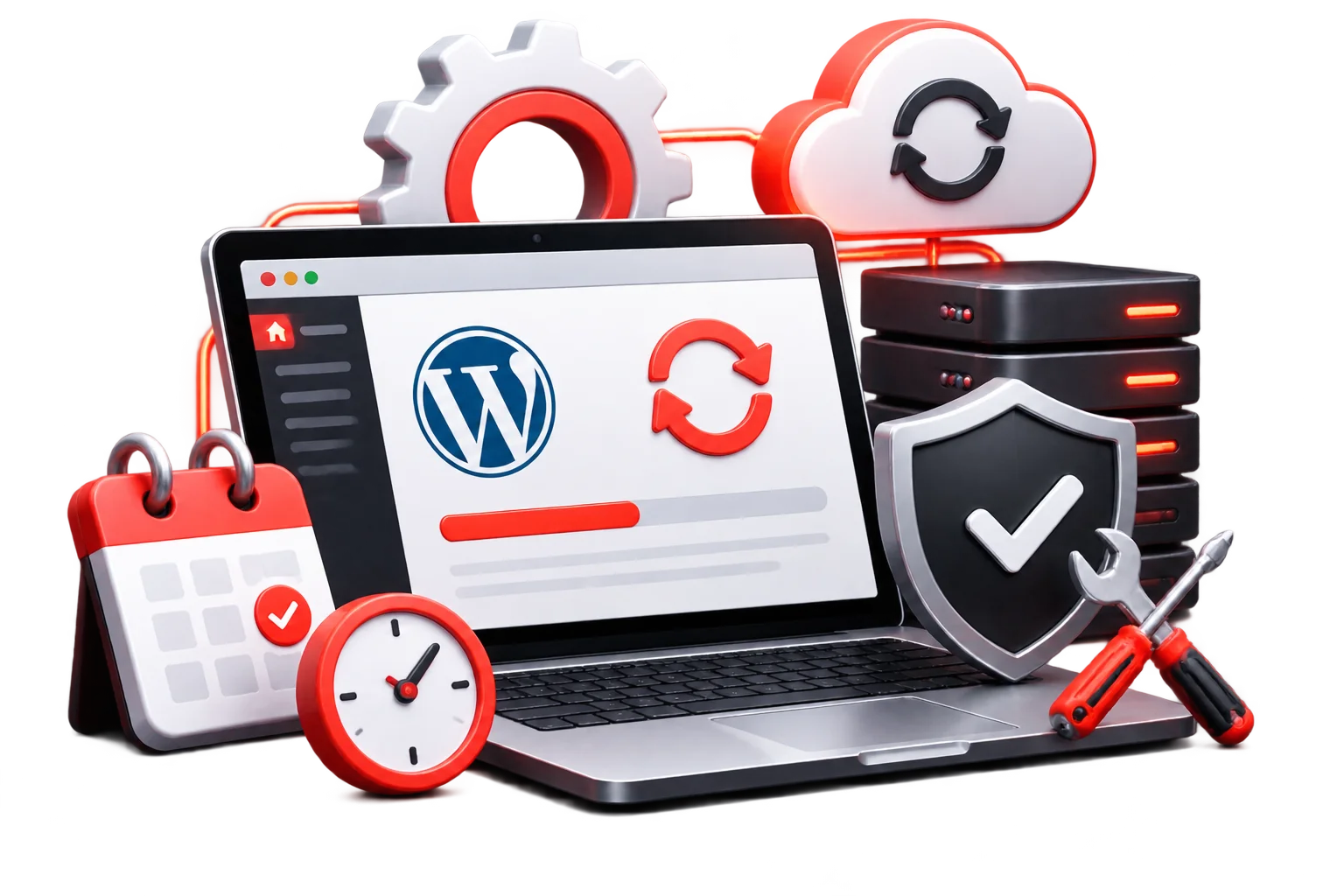
Updating plugins and themes without proper checks can break layouts, forms or checkout functionality. That’s why we take a safer approach.
We back up your website, test updates where supported, check critical pages and keep track of changes. If something goes wrong, we can restore a working version quickly.
The risk of skipping updates: Outdated plugins and themes can expose your website to security vulnerabilities and compatibility issues.
The value of managed maintenance: Tested updates, regular backups, fewer disruptions and expert support when something breaks.
Security, Stability And Performance Built Into Every Plan
Maintenance is what keeps a site healthy long after launch day.
Backups, tested updates and restore points mean a bad update can be rolled back instead of becoming an outage.
Regular malware scanning, login protection and a review of user accounts help reduce exposure to the most common WordPress attack routes.
Monitoring and routine database and plugin checks help prevent the slow, gradual decline in speed that affects visitors and search visibility.
Also considered for every site
- Supported PHP and WordPress versions
- Removal of unused plugins and themes
- Admin and user-role review
- Compatibility after major updates
- SEO-safe changes, so updates do not break redirects, metadata or sitemaps
These are recommended practices and typical inclusions. Confirm exactly what each plan contains before publishing.
What We Check In Every Maintenance Cycle
After each round of updates, we verify the site against this list.
- Homepage and key pages load correctly
- Contact and lead forms send and notifications arrive
- Checkout and payment flow (for WooCommerce)
- Logins, memberships and user roles
- Menus, images and layouts on desktop and mobile
- Plugin and theme compatibility with the new versions
- Backups completed and restorable
- Backups completed and restorable
- Malware scan results
- Uptime and error logs
- SSL certificate status
- Redirects, sitemap and SEO settings still intact
Who Owns Your Website And What You Receive Every Month
You stay in control of your site, your content and your accounts.
Your domain and hosting accounts stay in your name. We only access what we need, with your approval.
Your domain stays registered in your name. We only change DNS settings with your approval.
You keep administrator access to WordPress, so you are never locked out.
You receive a regular report with updates applied, scan results, backup status and recommendations.
Ownership, access and cancellation terms must be confirmed in your service agreement.
How To Choose A WordPress Maintenance Provider: 7 Questions To Ask
Do you test updates before applying them? Blind updates are the most common source of broken sites.
Where are backups stored, and can you restore them? Backups only matter if they can be restored.
What exactly is included each month? Ask for specifics, not “full care”.
How are security threats handled? Ask about scanning, login protection and what happens if the site is compromised.
Who answers support, and how fast? Clear response expectations matter when something breaks.
What happens when I need new work done? Understand how extra design and development are quoted.
Can I leave without being locked in? You should keep access, ownership and a clear exit path.
Who We Maintain WordPress Websites For
Our team works remotely with clients in the US, UK, Canada, UAE and Australia. You can browse the industries we serve or see how we work in each market.
Meet The Team / Contact Form


Digital Marketing

Client Relationship & SEO Expert

UI UX & WordPress Web Designer


Plus 9 more in-house specialists
Copywriters, ecommerce specialists, WordPress maintenance engineers, and client success managers all on staff, never outsourced.
- Contact Us
WP Web Designers That Help You Grow
Share your project. We’ll review it, ask the right questions, and send you a clear scope.


You can also browse our full portfolio.
Related Services For Your Maintained Website
Protecting it
For deeper protection and incident response, see our WordPress maintenance services.
Making it faster
If pages still feel slow after maintenance, see our WordPress speed optimization services.
Growing it
For ongoing design and development capacity, see our WordPress retained services.
WordPress Maintenance Faqs
How much does WordPress maintenance cost?
Our suggested plans start around $99–$149 per month for Essential and $199–$349 per month for Business, with custom quotes for Enterprise. The final price depends on site size, complexity and support needs. We confirm everything, including first-year costs, in a free consultation.
What is included in your WordPress maintenance plans?
Our plans cover plugin, theme and core updates, daily backups, malware scanning, uptime monitoring and priority support, with higher tiers adding staging-tested updates, performance checks and more support time. Your quote lists exactly what is included.
What is the difference between maintenance and a retainer?
Maintenance keeps your existing site secure and updated. A retainer adds ongoing design and development capacity, such as new pages, features and campaign assets, without starting a new project each time.
Can an update break my website?
Updates sometimes cause conflicts, which is why we back up first, test where possible and check key pages afterward. If something breaks, we can restore a working version.
Do I still need maintenance if my hosting is managed?
Often yes. Managed hosting looks after the server, but updates to WordPress, themes and plugins, plus testing, support and reporting, are usually separate. We will tell you what your hosting already covers.
Can you maintain a site you did not build?
Yes. We start with an audit to understand its condition and any risks, then recommend the right plan.
What happens if my site is hacked?
If you are on a plan, we can restore from a clean backup and investigate. Cleanup of an infection that existed before onboarding, or extensive repair work, may be quoted separately.
How quickly will you respond to my requests?
Priority support is part of our service, and response times depend on your plan. We will confirm the exact expectations in your agreement.
Will maintenance help my SEO?
Indirectly, yes. A site that stays online, loads quickly, avoids broken pages and stays secure supports better visitor experience and search visibility. We also try to keep updates from disrupting redirects, metadata and sitemaps.
Do you cover premium plugins and themes?
We can update and test them, but you need valid licenses for premium tools. If a plugin is abandoned or incompatible, we will explain the risks and recommend alternatives.
Who owns my website and accounts?
You do. We maintain your site on your behalf, and you keep ownership of your content, domain and data.
Ready to Talk About Your WordPress Maintenance?
Tell us about your site and what it needs to do for your business. We’ll review its health, recommend the right plan and give you a clear first-year cost.